
BISP 8171 Payment Verification: A Comprehensive Guide
This text provides guidance on how to verify if you are receiving a Rs. 13,500 Benazir Income Support Program (BISP) payout for July 2025. It is essential to follow simple steps to ensure you receive your money without any hassle. The process can be done online or offline and can be done on a smartphone or basic phone. The goal of the text is to make the procedure as simple as feasible for people who require financial aid.
You can read more: You can Also Apply for Student T Cash Card Punjab through this Portal.
What is the purpose of BISP 8171?
The Benazir Income Support Programme (BISP) is a Pakistani government initiative that provides quarterly payments of Rs. 13,500 to over 9 million families struggling to cover basic expenses like food, school supplies, and medicine. The “8171” code is used to check eligibility and payment status, either via SMS or the Benazir web portal.
Why It’s Important to Verify Your Payment
Verifying BISP Payment
• Identifies eligibility for Rs. 13,500.
• Ensures correct and up-to-date CNIC details.
• Ensures no biometric issues or outdated records.
• Provides information on where and when to pick up money.
• Avoids disappointment at payment centers if records are “under verification” or “disqualified.”
• Discusses latest updates for 2025 and easy status check.
July 2025: Current BISP 8171 Updates
Benazir Program Updates for July 2025
• Increased quarterly payment to Rs. 13,500 to accommodate rising prices.
• More families added to the program, potentially qualifying previously rejected applicants.
• Improved verification system partnered with NADRA for faster and more secure CNIC checks.
• Mobile-friendly portal redesigned for easier use on phones.
• More payment options available at HBL Konnect, Bank Alfalah, JazzCash, and special camp clusters.
• Payment verification is required to avoid delays.
Ways to Check Your BISP 8171 Payment Online
To check your BISP payment status online, visit the official 8171 Web Portal at 8171.bisp.gov.pk. Enter your 13-digit CNIC number without dashes or spaces, and solve the Captcha. This is a simple process, similar to picking the right fruit in a game. Click the “Check Status” button or “Maloom Karen” (Urdu for “Find Out”). The screen will show if you’re eligible, when your payment is ready, and where to collect it. This is a simple process that ensures you’re not falling for fake websites. Remember to take screenshots or write down the information, such as the payment date and location, to ensure accuracy.
Why Verification Online Is So Important
“Fast, Easy Payment Checking”
• Takes less than 5 minutes.
• No need for travel.
• Provides real-time updates.
• Offline methods are available for those without internet or smartphones.
How to Check Your BISP 8171 Payment Offline
Offline Status Checking via BISP
Method 1: SMS Verification
• Open the SMS app on your phone.
• Enter your 13-digit CNIC number without dashes.
Method 2: Go to a Tehsil Office of BISP
BISP Tehsil Office Visit Guide
• Bring the original CNIC (not a photocopy).
• Request status check for July 2025 payment.
• Provide details, including CNIC number and biometric data.
• Seek help if the status is “under verification” or “disqualified.”
Method 3: Make Use of Camps or Mobile Vans
BISP Mobile Vans and Payment Camps in Rural Areas
• Set up as pop-up shops for BISP services.
• Allows CNIC verification and payment status check.
• Can collect payments directly.
• Check the local community or BISP helpline for van availability.
The Advantages of Confirming Your BISP Payment
Verifying Payments: A Time-Saving Step
• Avoids surprises: Ensures payment status is ready or has issues to resolve.
• Saves time: Avoids unnecessary trips to payment centers.
• Prevents Fraud: Uses official channels like the 8171 portal or SMS.
• Helps Family: Ensures money is sent to the recipient, ensuring timely delivery.
Typical Errors to Avoid in Verification
Payment Mistakes and Solutions
• Sending SMS from Someone Else’s Phone: Use a SIM registered with your CNIC to avoid misunderstandings.
• Falling for Scams: Trust only the official 8171 number or 8171.bisp.gov.pk.
• Not Updating Family Details: Update family info at a Benazir office to avoid payment issues.
| Step | Details |
|---|---|
| Verification of Eligibility | Use the 8171 Web Portal or send CNIC to 8171 via SMS. |
| Payment Amount | Rs. 13,500 (Quarterly) |
| Where to Collect Payment | HBL Konnect, Bank Alfalah, JazzCash, Benazir Camps |
| Required Documents | Valid CNIC (Original), Biometric verification (thumbprint) |
| Methods Offline | Visit the Tehsil Office, BISP Mobile Vans, or send an SMS to 8171. |
| Online Method | Enter CNIC on 8171.bisp.gov.pk with captcha verification |
| Biometric Issues | Update fingerprints at NADRA |
| Ineligible/Under Verification | Visit Benazir Tehsil Office for NSER update or re-verification |
| BISP Helpline | 0800-26477 |
How to Get Your Payment of Rs. 13,500
Obtaining Payment Status Verification
• Wait for SMS from 8171 indicating payment collection date and location.
• Visit appropriate locations like HBL Konnect agent, Bank Alfalah, JazzCash, or Benazir camp cluster.
• Bring the original CNIC for biometric verification.
• Perform thumbprint check on scanner, ensuring clean hands.
• Receive the full Rs. 13,500; no deductions allowed.
How to Proceed If Your Payment Is Rejected or Delayed
Common Problems with BISP Tehsil Office
• “Under Verification” Status: Visit the Benazir Tehsil Office for biometric re-verification or an NSER survey update.
• Biometric Failure: Update fingerprints at the NADRA office and bring the updated CNIC to the Benazir office.
• Not Eligible: Visit the Benazir office to redo the NSER survey if eligible.
• Payment Not Received: Check with the payment center and bring CNIC and SMS proof. Call the Benazir helpline at 0800-26477.
Who Is Eligible for Payments Under BISP 8171?
Eligibility Criteria for BISP Tehsil Payment
• Household income under Rs. 50,000 per month.
• Women, especially widows, single moms, or heads of households.
• Valid, non-expired CNIC registered with NADRA.
• No family members who are government employees or have large assets.
• Children must have at least 70% attendance for education stipends.
• Check eligibility online or by SMS.
• For registration, visit the Benazir Tehsil Office.
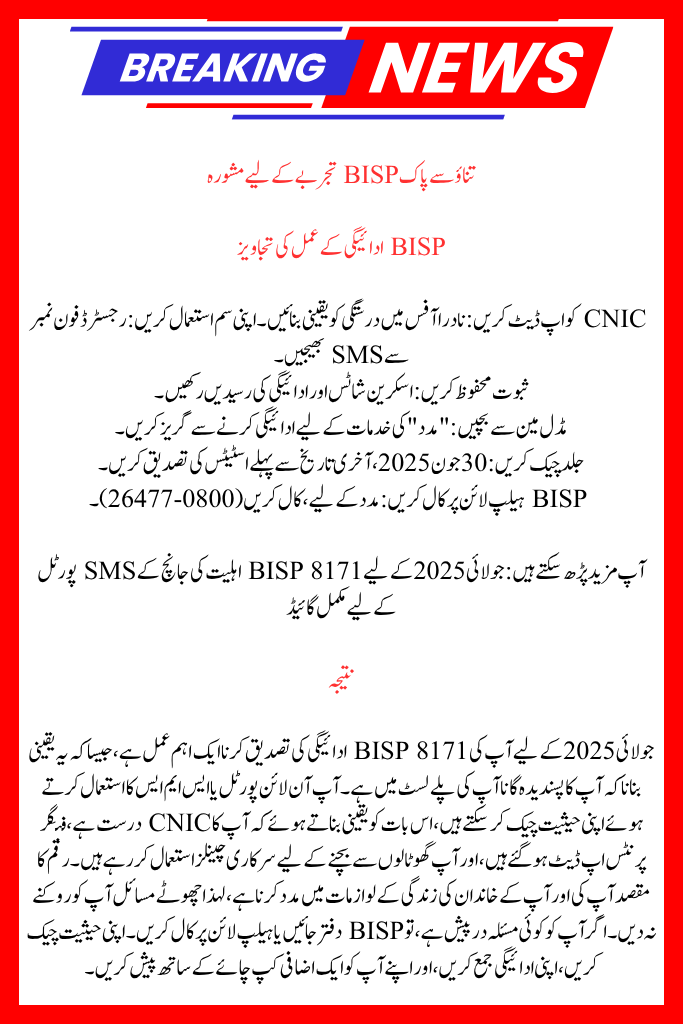
Advice for a Stress-Free BISP Experience
BISP Payment Process Tips
• Update CNIC: Ensure validity at the NADRA office.
• Use Own SIM: Send SMS from registered phone number.
• Save Proof: Keep screenshots and payment receipts.
• Avoid Middlemen: Avoid paying for “help” services.
• Call Benazir Helpline: For assistance, call (0800-26477).
You can read more: Complete Guide to the BISP 8171 Eligibility Check SMS Portal for July 2025
Conclusion
Verifying your BISP 8171 payment for July 2025 is a crucial process, similar to making sure your favorite song is on your playlist. You can check your status using the online portal or SMS, ensuring your CNIC is valid, fingerprints are updated, and you are using official channels to avoid scams. The money is meant to help you and your family with life’s essentials, so don’t let small issues stop you. If you encounter any issues, visit a Benazir office or call the helpline.
FAQs
1. What should I do in the event that 8171 doesn’t send me a confirmation SMS?
Make sure your SIM is active and linked to your CNIC, and wait a few hours. Your CNIC number should be sent to 8171 again. If the problem persists, go to the Benazir Tehsil Office that is closest to you.
2. If I don’t have internet, is it possible to check my BISP 8171 status?
Yes, you may text your 13-digit CNIC to 8171 without using any dashes. f
3. What should I do if the payment center doesn’t accept my biometric verification?
To update your fingerprints, go to the NADRA office that is closest to you. After that, bring your updated CNIC back to the payment facility for validation.